Options for Classroom Enhancements
The options below provide templates that can be applied to your Canvas classroom for enhanced design and efficiency in presenting information. As you consider whether any of the presented options would be beneficial for your classroom, indicate your selections in the form via the button below and submit your request to initiate their implementation into your course.
If you have any questions about which options would be most appropriate for your classroom and would like to discuss them with an ITG team member, please feel free to schedule a consultation.
Request Classroom Enhancements >>
RESOURCE PAGES
Resource Hub
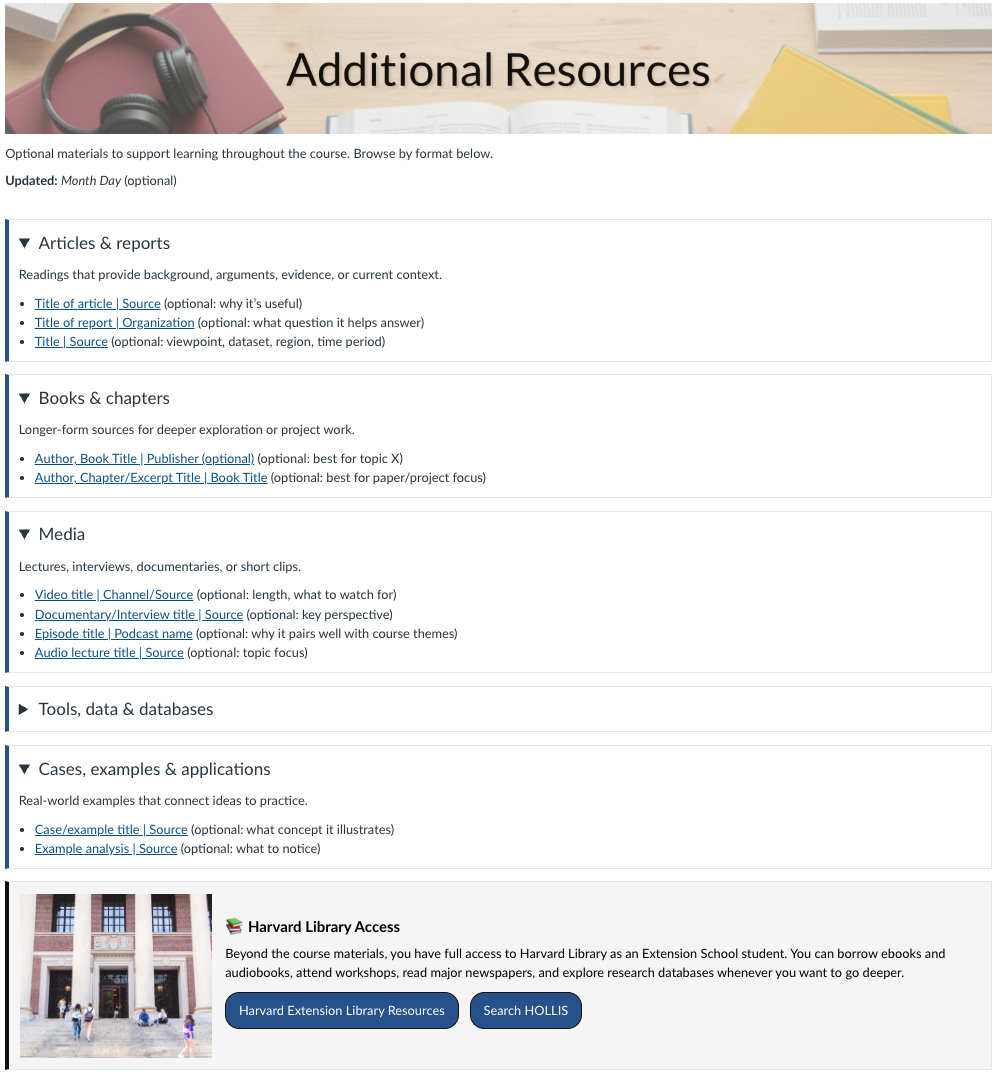
➜ Best for:
- Additional over-arching resources not tied to a specific week
- Identifying clear resource categories (e.g., Articles, Books, Media, Tools)
- Limiting scroll with expandable sections
Tool/Setup Guide
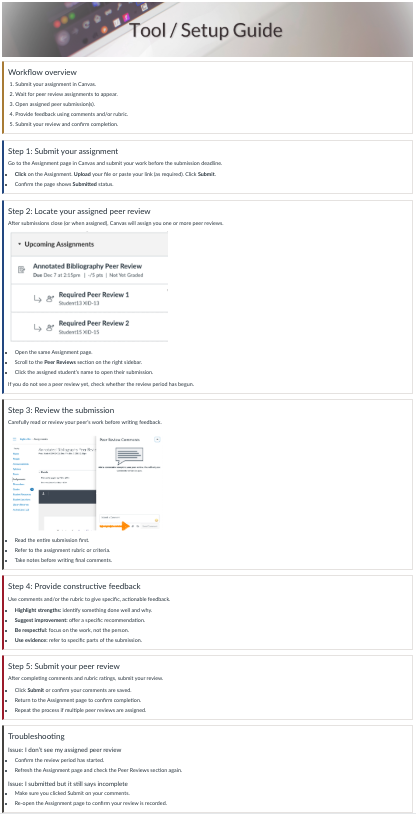
Use when: Students must follow a repeatable workflow (setup, submission, peer review, or tool use)
➜ Best for:
- Step-by-step instructions
- Guiding users through ordered checkpoints and tips
- Troubleshooting pathways
Archive/Example Repository
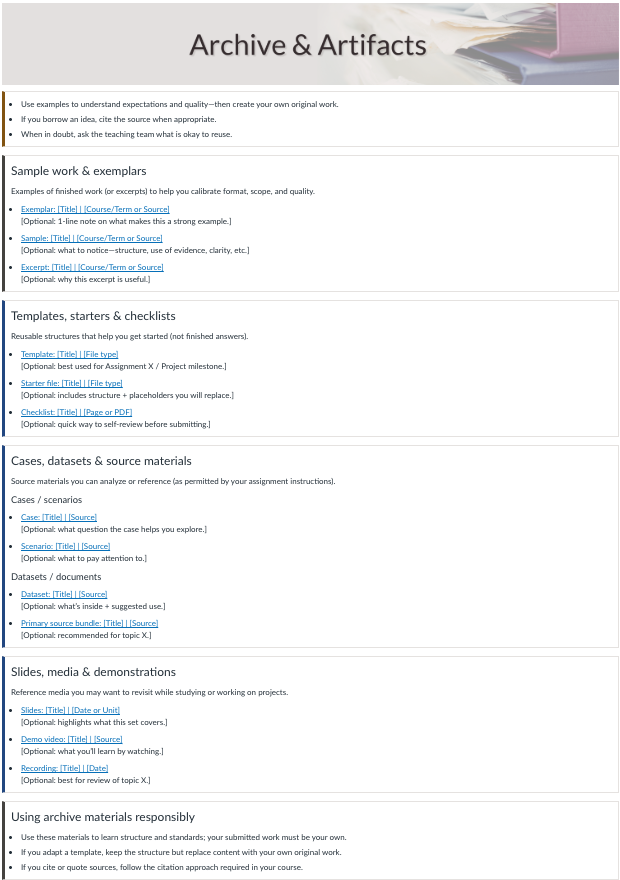
Use when: The page is a curated collection of examples (code examples, case collections, past work, demos)
➜ Best for:- Organize content by week/module or by theme
- Short “what to notice” notes per item
- Clear labeling of content by type and purpose
INFO PAGES
Faculty Info Page

Use when: Providing students with information on teaching staff, prior professional experience, and out-of-class availability
➜ Best for:
- Instructor Bios
- Office Hours
- Contact Information
Policy and Expectations Page (Cards)
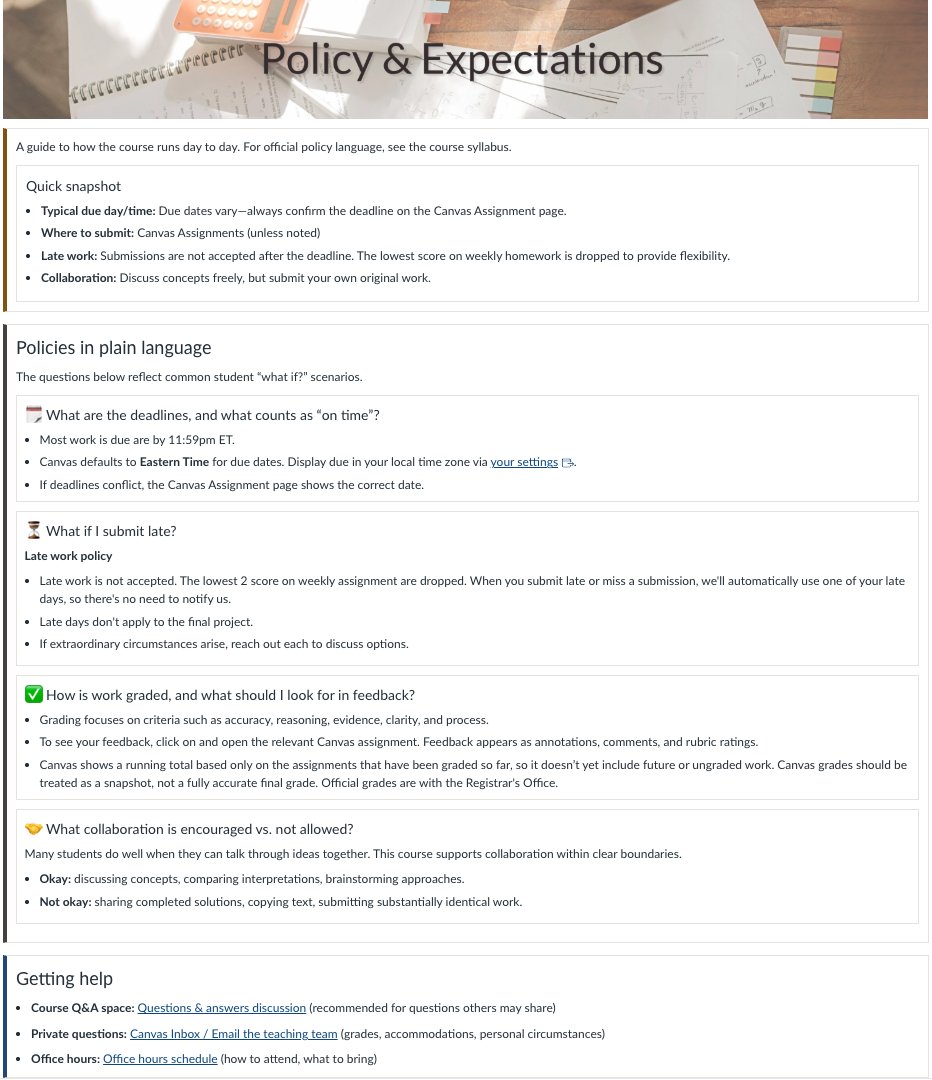
Use when: The page explains course rules, grading, participation norms, or recurring expectations
➜ Best for:
- Indicating how grading works (and where to see it)
- Policies regarding late work, extensions, AI usage
- Standards of communication in the course environment
COURSE STRUCTURAL PAGES
Module Overview Page

Use when: Alerting students to upcoming and expected learning in the course
➜ Best for:
- Module overview statements
- Learning Objective Documentation
- Module To-Do Lists
CONTENT PAGES
Accordion Template Page

Use when: Sharing significant amounts of separated information without taking up excessive space
➜ Best for:
- Content that doesn't need to be seen at the same time
- Highlighting topic headers without content distractions
- Diminishing scroll on a page by limiting the visible content to one section at a time
Multi-Card Template Page

Use when: Showing related content in sequence or multiple separate examples
➜ Best for:
- Content cards with definitions or explanations
- Processes with multiple steps to follow
- Related scenarios and cases for evaluation